
Free · Open source · For your own account
Clean up your X history without handing over your password.
Xomoni deletes your old posts, replies, reposts and likes from inside your own browser, at a pace X accepts. No API keys. No password. Your X session never leaves your computer.
For Chrome, Edge and Brave on desktop. Chrome Web Store listing coming soon.
Why it’s hard
Deleting years of posts on X is harder than it should be.
X has no “delete everything older than…” button, and every shortcut has a catch.
The official API is slow and paid
It is pay-per-use, and deleting a post through it is capped at 50 requests every 15 minutes.
Scripts keep breaking
X now requires a signed, single-use anti-bot header on more and more requests. Tools that build their own requests stop working.
Console scripts get accounts flagged
They ignore X’s limits and keep going after X has asked them to stop. That is how accounts get locked.
How it works
A careful assistant in your browser, not a bot on a server.
Xomoni never sends its own requests to X. It works the way you do, just more patiently.
Step 1
Works in your own X tab
The extension clicks the same buttons you would. X’s own web app sends every request, with all its headers.
Step 2
Knows what you’ve posted
Import your official X archive or scan your profile. Reaches past the ~3,200-post profile limit.
Step 3
You choose what goes
Pick a date range and keep rules: posts with N+ likes, keywords, links you paste, your own threads. Preview and back up before anything is deleted.
Step 4
Only counts what X confirms
A post is marked removed only when X’s response confirms it. If Xomoni can’t verify an item, it leaves it alone.
Safety
Works with X’s protections, not against them.
Your account matters more than speed. When X pushes back, Xomoni listens and slows down or stops.
- Reads X’s own rate-limit headers and waits before the window runs out
- Backs off on “too many requests” and slows down by itself
- Stops the job when X says activity “looks automated”
- Waits for you at logins, 2FA and X’s security checks, then continues
- Spreads work over hours and days with hourly and daily caps
- Ask for, read or store your X password
- Forge X’s headers or send requests of its own
- Solve captchas or get around X’s security checks
- Use proxies, fake fingerprints or other accounts
- Act on a post it can’t verify
6–12 s
between deletes on the default Careful pace
150 / hour
and 1,000 a day, at most, by default
1 hour
Xomoni waits for you at a login or 2FA before pausing
Extension + website
The work happens in your browser. The dashboard goes with you.
Sign in with the same Google account in the extension and on xomoni.com, then follow your cleanup from any device.
In the extension
Plan a cleanup, preview it, back it up and start it. Deletions only ever run here, in the X tab on your computer, and only after you type DELETE.
On xomoni.com
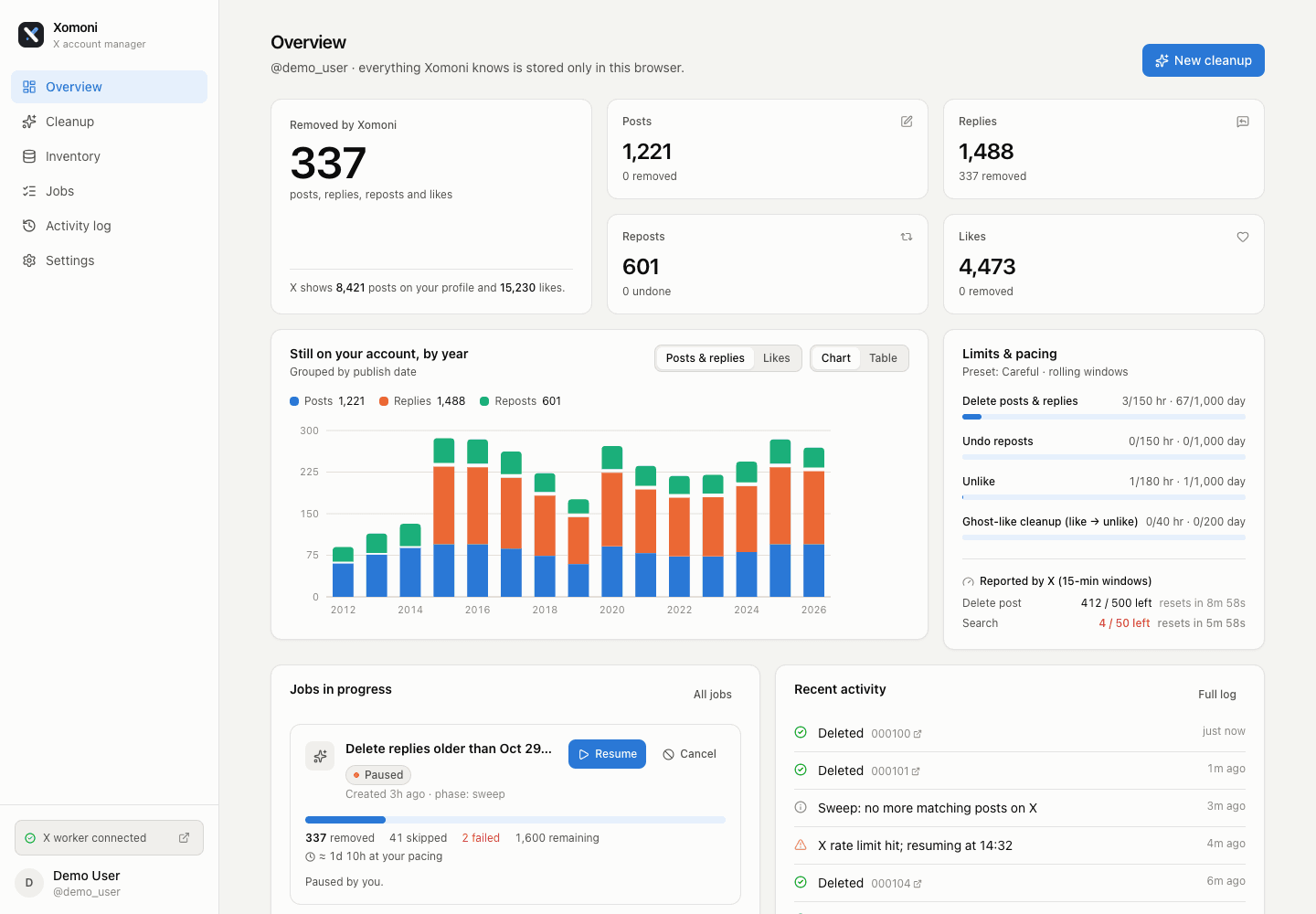
See which browsers are connected and how each job is going, live, from your phone or any computer. The website can’t start a deletion, so a stolen login can’t wipe your account.
Privacy
Your posts never touch our servers.
An account is optional. The extension works fully offline without one; signing in only adds the remote dashboard.
Stays on your computer
- Your X password and session cookies
- Your posts, replies and likes
- Your X archive
- The activity log
Synced when you sign in
- Your Google name, email and picture
- The browsers you connect
- Job summaries: type, state and counts
- The X handle each job ran on
Delete your account at any time from the dashboard; everything above goes with it. Read the privacy policy.
FAQ
Questions people ask first.
Is it free?
Yes. Xomoni is free and open source under the MIT license. You can read every line on GitHub.
Does it need my X password?
No. You log in to X yourself, in your own browser, the same way you always do. When X asks for a login or a 2FA code mid-job, Xomoni notifies you, waits, and continues once you’re done.
Can it delete more than 3,200 posts?
Yes. X’s profile page only shows about 3,200 posts, so Xomoni also uses X search and your official X archive to find older ones.
Can my account get restricted?
Any automation on X carries some risk, and no tool can promise otherwise. Xomoni keeps it low: conservative default pacing, X’s own limits, and a full stop when X signals a problem.
Does it work on my phone?
The cleanup runs in Chrome, Edge or Brave on a desktop or laptop. The dashboard on xomoni.com works on any device.
Is Xomoni made by X?
No. Xomoni is an independent project and is not affiliated with, endorsed by or sponsored by X Corp.
Start with your archive.
Request it from X today (Settings → Your account → Download an archive of your data). It can take a day to arrive, and it is your backup before anything is deleted.